Hostinger → Vercel: connect your domain in minutes
Step-by-step guide to connect a Hostinger-registered domain to a Vercel project. Includes DNS records, www redirect, verification, and troubleshooting.
Exact steps and DNS records to connect a Hostinger-registered domain to a Vercel project. Works for the apex (randomiser.xyz) and the www subdomain. Copy-paste friendly.
Before you start
1) Add your domain in Vercel
2. Click Add and enter your apex domain (e.g.
randomiser.xyz)3. Attach it to the Production environment
Vercel will now show the DNS records you need. Keep that page open.
Vercel will now show the DNS records you need. Keep that page open.
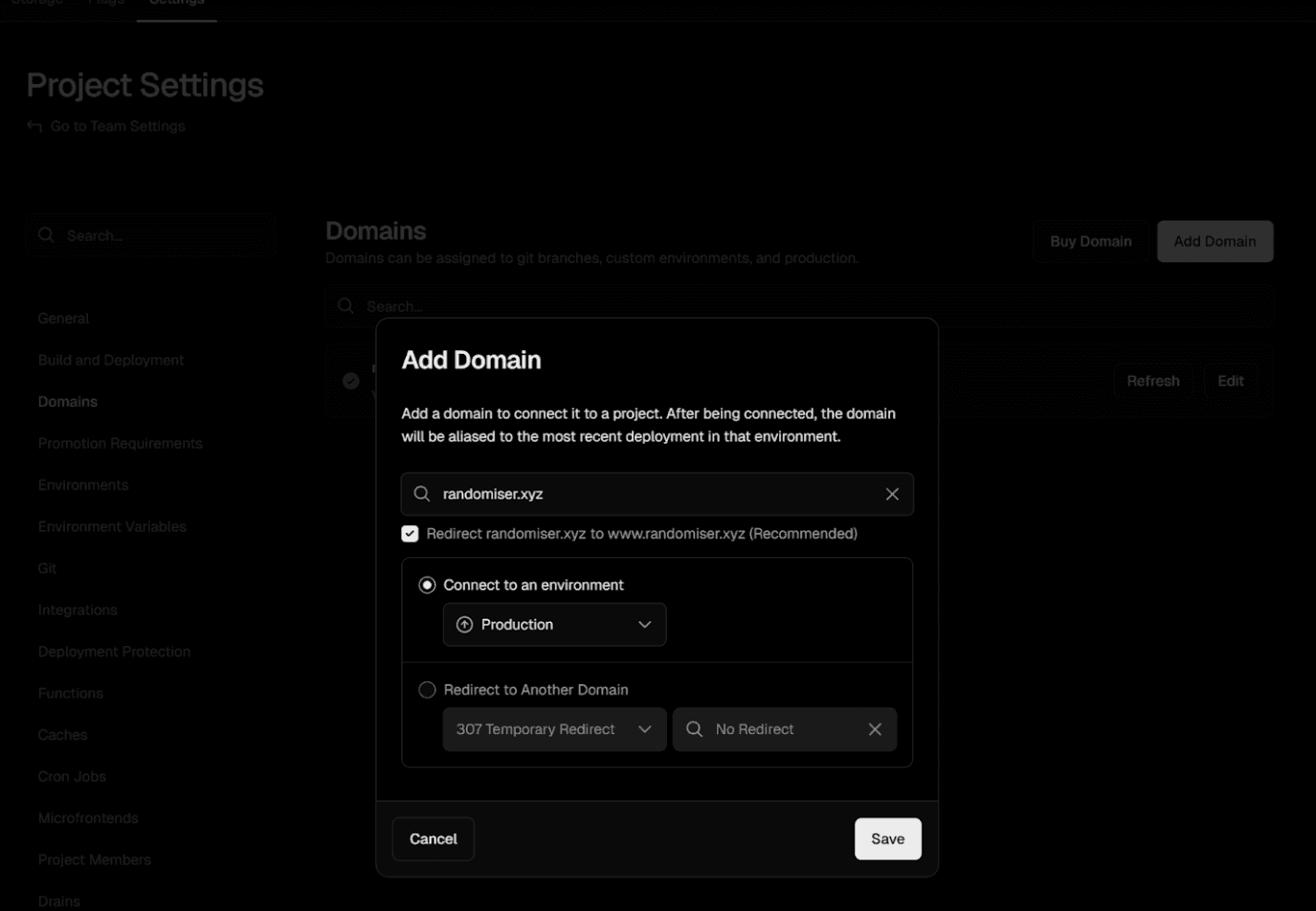
Vercel Add Domain dialog showing how to add a domain to a project
2) Create DNS records in Hostinger
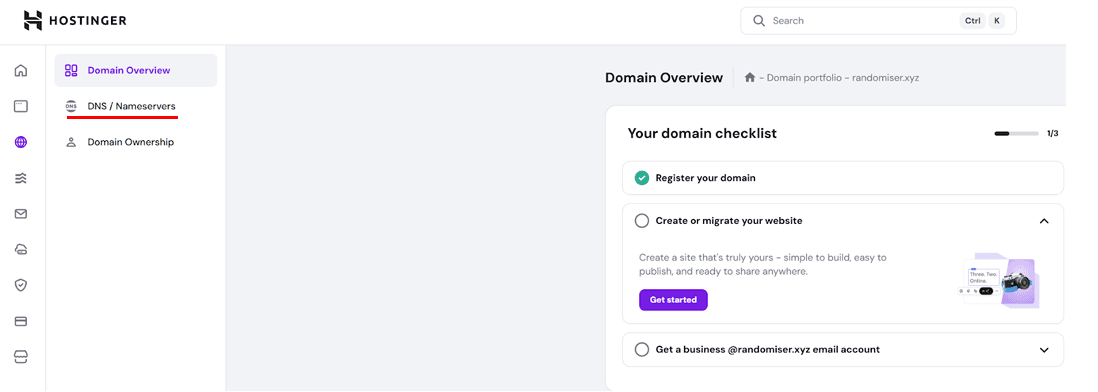
Hostinger DNS settings navigation showing where to find DNS Zone Editor
Apex domain (randomiser.xyz)
Type: A
Name/Host: @
Value: 76.76.21.21
TTL: 300–3600
www subdomain (www.randomiser.xyz)
Type: CNAME
Name/Host: www
Value: cname.vercel-dns.com
TTL: 300–3600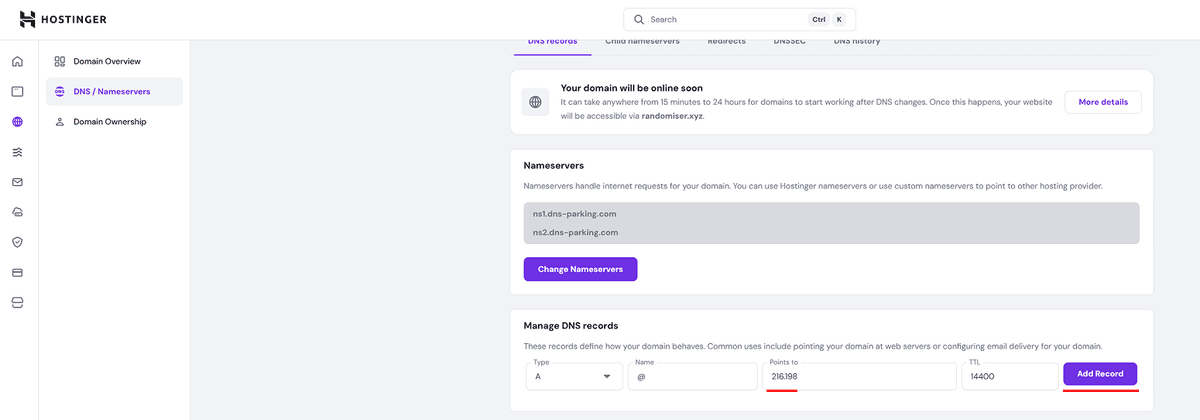
Hostinger DNS record creation interface showing how to add DNS records
76.76.21.21.randomiser-xyz.vercel.app or xyz.vercel-dns.com), use exactly what Vercel displays.@@ or www@ (apex can't be a CNAME)3) Verify and make it live
2. Vercel should show a green check for both
randomiser.xyz and www.randomiser.xyz3. Enable Redirect www → apex in Vercel if you want
www to redirect to randomiser.xyz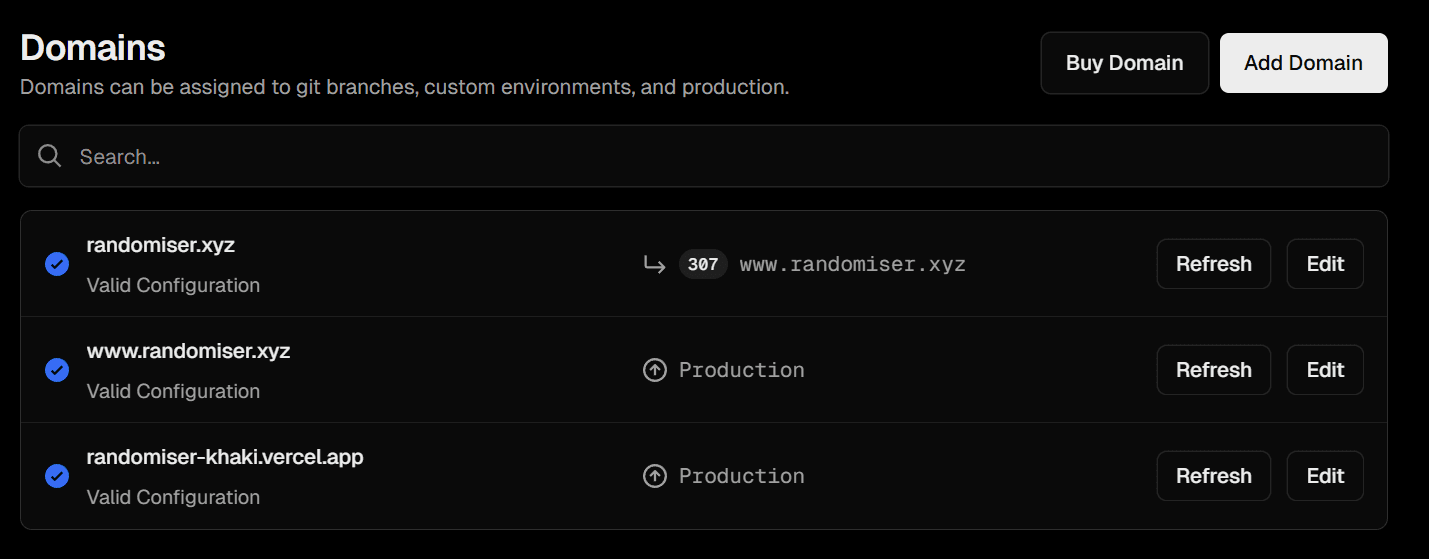
Vercel domains page showing successfully verified domains with green checkmarks
4) Troubleshooting
dig or an online DNS checker76.76.21.21 for @@/www unless you've configured it for Vercel specificallyThat's it! Your Hostinger domain should now be connected to your Vercel project with automatic SSL certificates. The process typically takes 5-30 minutes for DNS propagation.